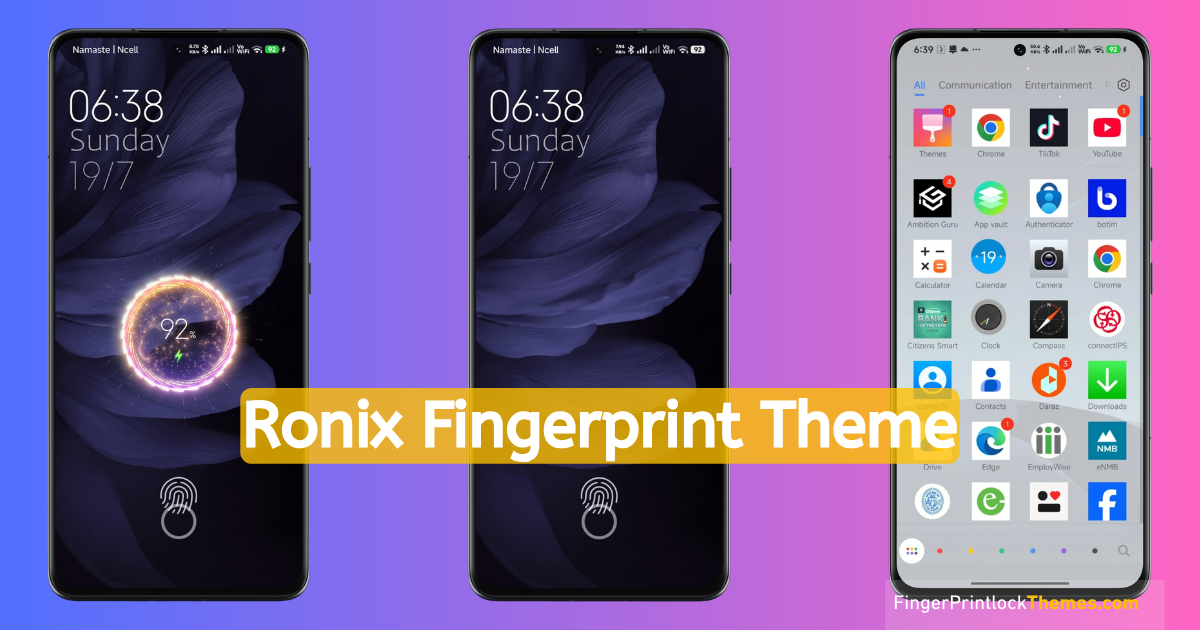
A lock screen can change the personality of a phone before you even reach the home screen. That is why Ronix Theme still attracts attention: its fingerprint-focused lock screen offers a much more visible change than simply replacing the wallpaper.
When I’m interested in any Xiaomi HyperOS or MIUI Theme, I don’t rely on the preview images and screenshots alone. I also cross-check the theme name, designer, package size, supported software, and official store route. For the original Ronix MIUI Theme, the verifiable details are a 41.8 MB package designed by Strix54 and originally published for MIUI 11.
Before going further, there’s an important ownership distinction. Ronix UI Theme was created by an independent third-party theme designer, not by Xiaomi. It does, however, have an official Xiaomi Theme Store listing for compatible MIUI & HyperOS devices. I am not the developer or distributor; this article only reviews the theme, helps readers locate the legitimate store listing, and provides a short detail and review of this Android MI Themes Fingerprint Lock.
It is equally important to understand what Ronix fingerprint means. The theme adds a visual lock-screen animation; it cannot add biometric hardware, move a physical sensor, or replace Android’s real screen-lock security.
Curator’s note: “Ronix” and “Ronix UI” are sometimes treated as the same package online. This review covers the original Ronix by Strix54 (41.8 MB). Ronix UI by Strix5428 (51.87 MB) is a separate listing.
Top Features of Ronix Theme
Ronix Fingerprint Theme is more than a single lock-screen effect. On a compatible MIUI and HyperOS build, its design language extends across the lock screen, home screen, icons, and selected system elements.
| Theme detail | Verified information |
|---|---|
| Theme name | Ronix |
| Designer | Strix54—independent third-party designer |
| Package size | Approximately 41.8 MB |
| Original compatibility | MIUI 11 Also Works on All HyperOS Devices |
| Main highlights | Fingerprint and charging animations |
Here are the changes that matter most:
- A distinctive lock screen: Ronix replaces the ordinary MIUI lock-screen presentation with its own clock, date layout, and fingerprint-oriented visual. This is where the theme has the strongest identity.
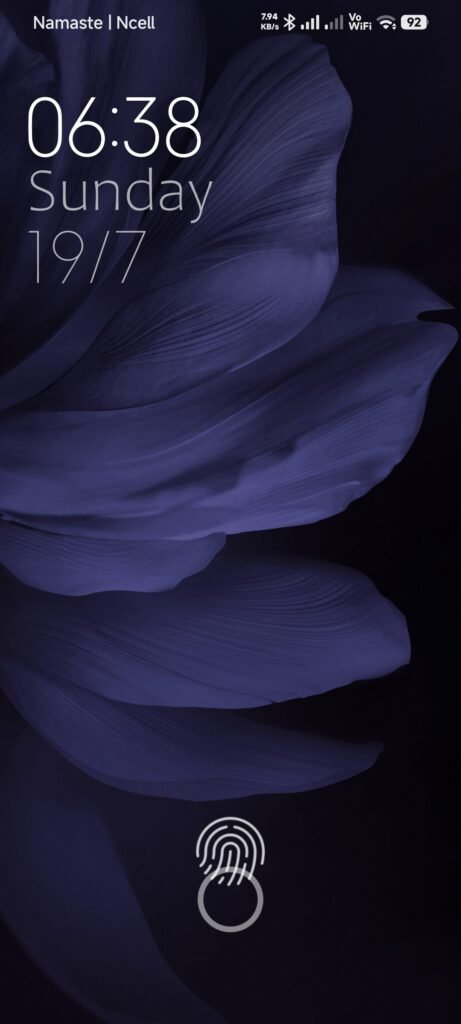
- Ronix wallpaper: The included lock-screen and home-screen backgrounds help the interface feel like one complete setup. If you only like the Ronix wallpaper, the Themes app may let you apply supported components separately instead of using every part of the theme.
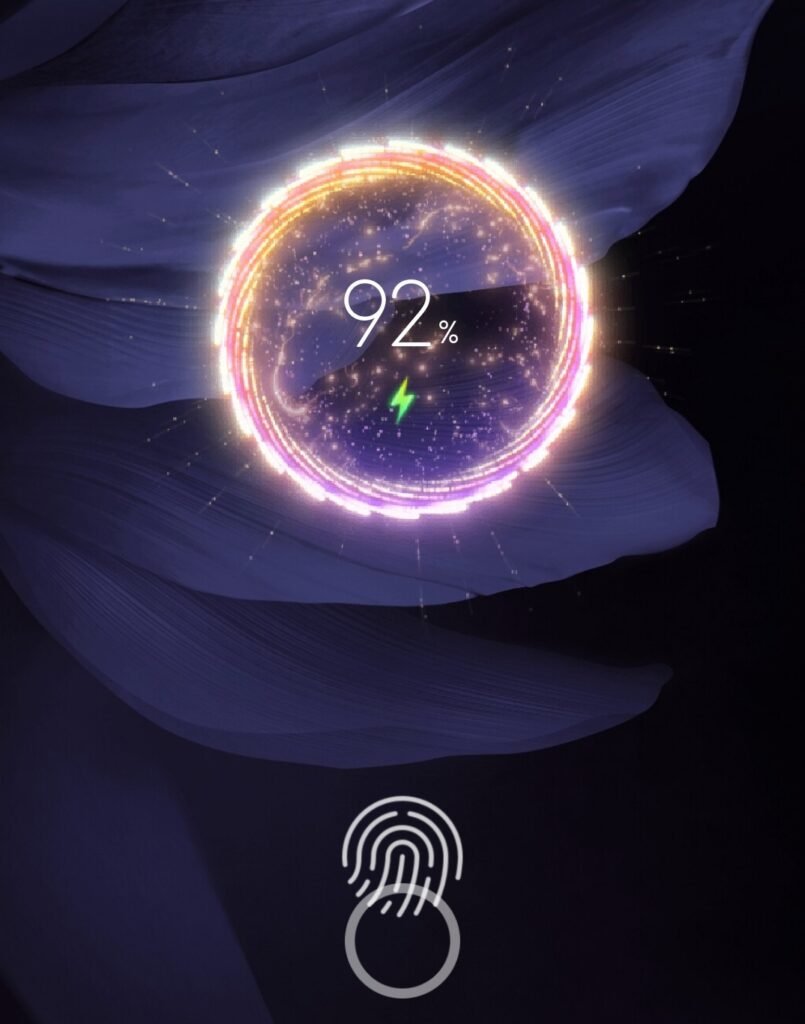
- Cool charging effect: People searching for a ronix miui theme with cool charging are usually looking for the themed animation that appears when a charger is connected. This is only a visual effect; it does not improve charging speed, battery capacity, or battery health.
- Restyled icons: The app icons look more deliberately shaped and coordinated than the stock MIUI set. Newly released system apps and some third-party apps may retain their original icons.
- Status bar and notification styling: The original preview and listing show changes to the status bar, notification panel, and selected system elements. The exact result can vary with the HyperOS version and regional ROM (Mostly offering more options in China and India).
- A more consistent system look: Settings, Phone, Messages, File Manager, Contacts, and the volume panel are among the areas the design attempts to coordinate. Phones using Google Phone or Google Messages may show fewer changes.
What I like about Ronix is that it does not stop after adding a background image. On compatible MIUI software, it tries to create a fuller ronix ui experience by connecting the wallpaper, lock screen, icons, and smaller system details.
The Ronix Fingerprint Lock Experience
The most searched part of this theme is the Ronix fingerprint lock. When the screen wakes, an animated visual appears around the on-screen fingerprint position, making the lock screen feel more active than a static lock icon.
The effect looks most natural on a phone with an in-display fingerprint reader, where the animation and touch area are more likely to share the same position. On a phone with a side-mounted or rear-mounted sensor, it may remain a decorative lock-screen element—or it may not render fully on that MIUI build.
A Ronix fingerprint lock download actually doesn’t add the fingerprint unlocking option to your phone. As actual fingerprint unlock is the hardware part of your Xiaomi and Redmi phones, the authentication still depends on the fingerprints, PIN, password, or pattern registered in Android/MIUI; the theme only changes the visual layer.
If the animation does not appear, check three things first:
- Confirm that the Lock screen component was applied;
- Confirm that the phone is running a MIUI build compatible with the original Ronix package;
- Check whether another lock-screen customization or power-saving setting is suppressing the effect.
How to Download and Apply Ronix Theme
A safe Ronix theme download does not require a random APK, modified MTZ file, or file-sharing link. Xiaomi’s own support guidance directs users to download and apply themes through the Themes app.
Steps for the Official Xiaomi Theme Store
- Check the platform: Make sure you own a Xiaomi, Redmi, or POCO phone running either MIUI or HyperOS ROMs.
- Open Themes: Launch Themes from the app drawer.
- Search for the theme: Enter Ronix in the search bar. Do not choose a result based on its name alone when several similar listings appear.
- Verify the identity: The original package should show designer Strix54 and a size of about 41.8 MB. These details help distinguish it from copies and from the separate “Ronix UI” theme.
- Use the official listing: If search does not surface it, you can find the direct Theme Store Download Link for this theme,
- Download inside the store: Tap the Download button shown for your region. Follow the store flow and do not install an external file.
- Apply the theme: After successful download, tap Apply. You can also tap on Customise to enable the apply on particular features like Lock screen, Home screen, System, and Icons—or apply only the parts you want.
- Test the result: Lock and wake the screen, then connect a charger to check the fingerprint and charging visuals. If an element overlaps, restart the phone once and test again.
Xiaomi states that Themes app content is influenced by the Xiaomi Account region or the device’s system region. As a result, the same listing can be visible on one phone but unavailable on another region or software version.
Download Links
You can download this Ronix MIUI Theme for your HyperOS and MIUI Phones easily from the given links. Here, we have shared both the Official Store link and the direct MTZ file link for you. If your ROM or country doesn’t support the official store link, then you can download and upload the .mtz file directly and enjoy customization.
Why You Should Avoid “Ronix Theme Download APK”
The phrase ronix theme download apk is misleading because Ronix is not a standalone Android application. You do not need to install a separate APK to use the theme.
An .APK file from an unknown website can bundle unrelated code, advertising, or permissions. The official Themes app gives you one place to confirm the listing, designer details, device compatibility and size, and clear details about the theme with screenshots, as I share for you here.
But still, if the official listing is unavailable on HyperOS, do not try to bypass the restriction with a modified APK or package. This is a theme file, not an app to be installed separately, okay, but you still have the option to download the .mtz file of this theme as per your requirement.
Conclusion
Ronix Theme features the fingerprint-focused lock screen, coordinated wallpaper, and beautiful charging animation. These are the three major features that keep the Ronix fingerprint theme memorable among older MIUI customizations.
But the best user experience still depends on identifying the correct package, customization options, and your MIUI ROM’s region.
If you try it, share your phone model, MIUI version, region, and the features that worked in the comments. Those practical details will help other readers judge how Ronix is likely to behave on their devices.
FAQs About Ronix Theme
No. The original Ronix package uses Xiaomi’s theme framework, so it cannot be applied as an official Xiaomi theme on Samsung, Realme, vivo, OPPO, or other standard Android phones. It also cannot add a fingerprint sensor; it only changes the lock-screen design and animation on compatible Xiaomi, Redmi, or POCO devices.
Yes, although Ronix Fingerprint was built in the MIUI phase, this Android MI Themes Fingerprint lock works perfectly on any version of HyperOS. Based on compatibility, you can either directly download it from the Theme Store or .mtz files.
No. Ronix is a theme package, not a standalone APK. Search for Ronix in Xiaomi’s Themes app—or open the official listing—then verify Strix54 and 41.8 MB before tapping Download and Apply.